Organization skills
Share reusable skills across every project in your Henosia organization.
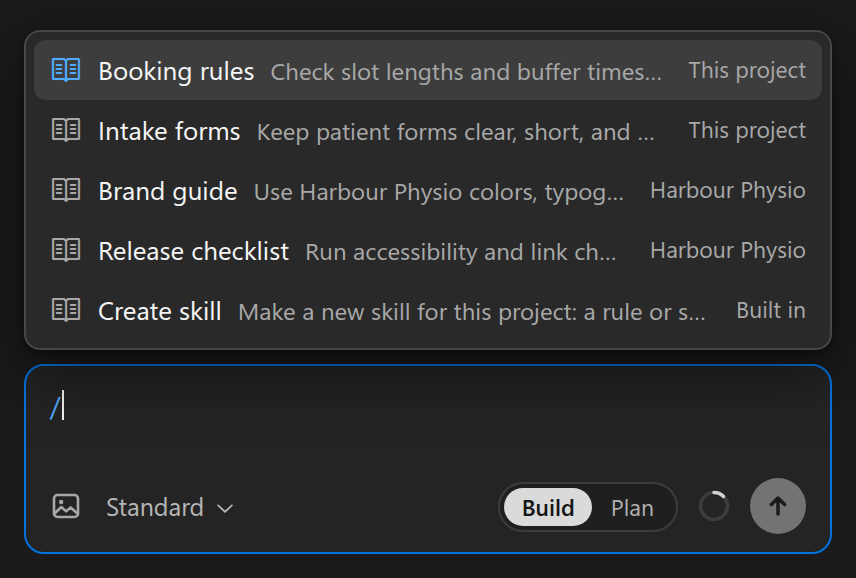
Teams with more than one project in Henosia end up repeating the same instructions in every chat. You can now save those instructions once as an organization skill. Every member gets it in the builder's Skills panel and the / menu across every project in the organization.
Add skills in one place
Organization owners and admins manage shared skills from the dashboard. Open Organizations in the sidebar, select your organization, and open Skills.
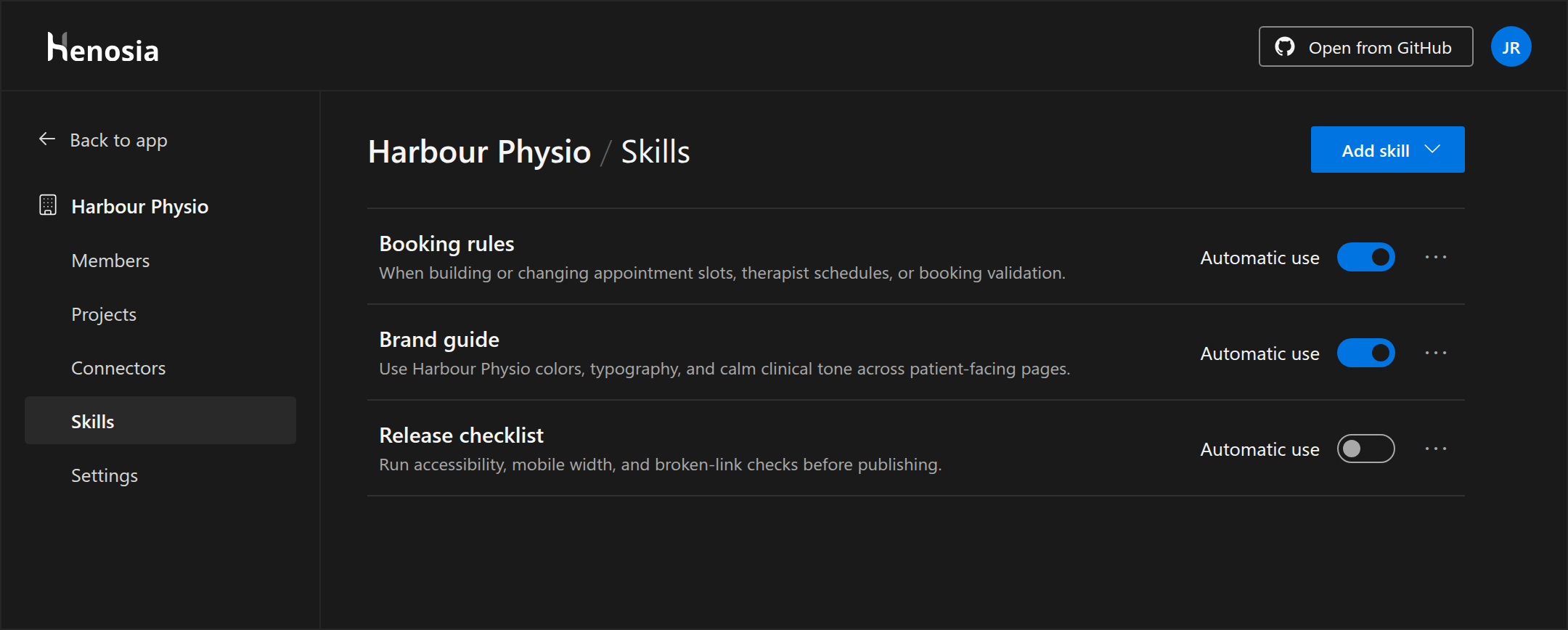
From Add skill, you can write a skill in Markdown, import from a public GitHub repository, or upload a .zip or .skill archive up to 10 MB. You can also refine a skill inside one project first and share it with the organization from the Skills panel.
A good organization skill states concrete rules that apply across every app your team builds. Here is an example Brand guide skill.
# Brand guide
Use when building or updating customer-facing pages, forms, or emails.

## Visual system
- Use `#0D6E6E` for primary buttons, links, and active states.
- Keep page backgrounds white (`#FFFFFF`) with `#F5F7F7` for secondary cards.
- Use sentence case for every heading and button label.

## Copy and formatting
- Show prices in euros with VAT included, for example `€85`.
- Display opening hours in 24-hour format (`08:00 to 17:30`).
- Write error messages in plain language and tell the user what to try next. Never expose raw error codes.
- Include a link to `/cancellation-policy` on booking confirmations and confirmation emails.
All members can read every organization skill and use it in chat. Only owners and admins can add, edit, or delete organization skills.
Automatic use or on demand
Owners and admins control how each skill runs with the Automatic use toggle.
When Automatic use is on, Henosia applies the skill when a request matches its description. Turn Automatic use off for checklists or specialized tasks that teammates should pick with / in chat. Each organization supports up to 100 skills, with up to 50 set to Automatic use. Skills picked with / always work.
Override per project
If one project needs different rules, add a project skill with the same name in .agents/skills/<skill-name>/SKILL.md. Henosia uses the project skill in that project and keeps the organization skill everywhere else.
See managing organization skills in the docs for GitHub updates and full file limits.